XML you can read.
Even at 50,000 items.
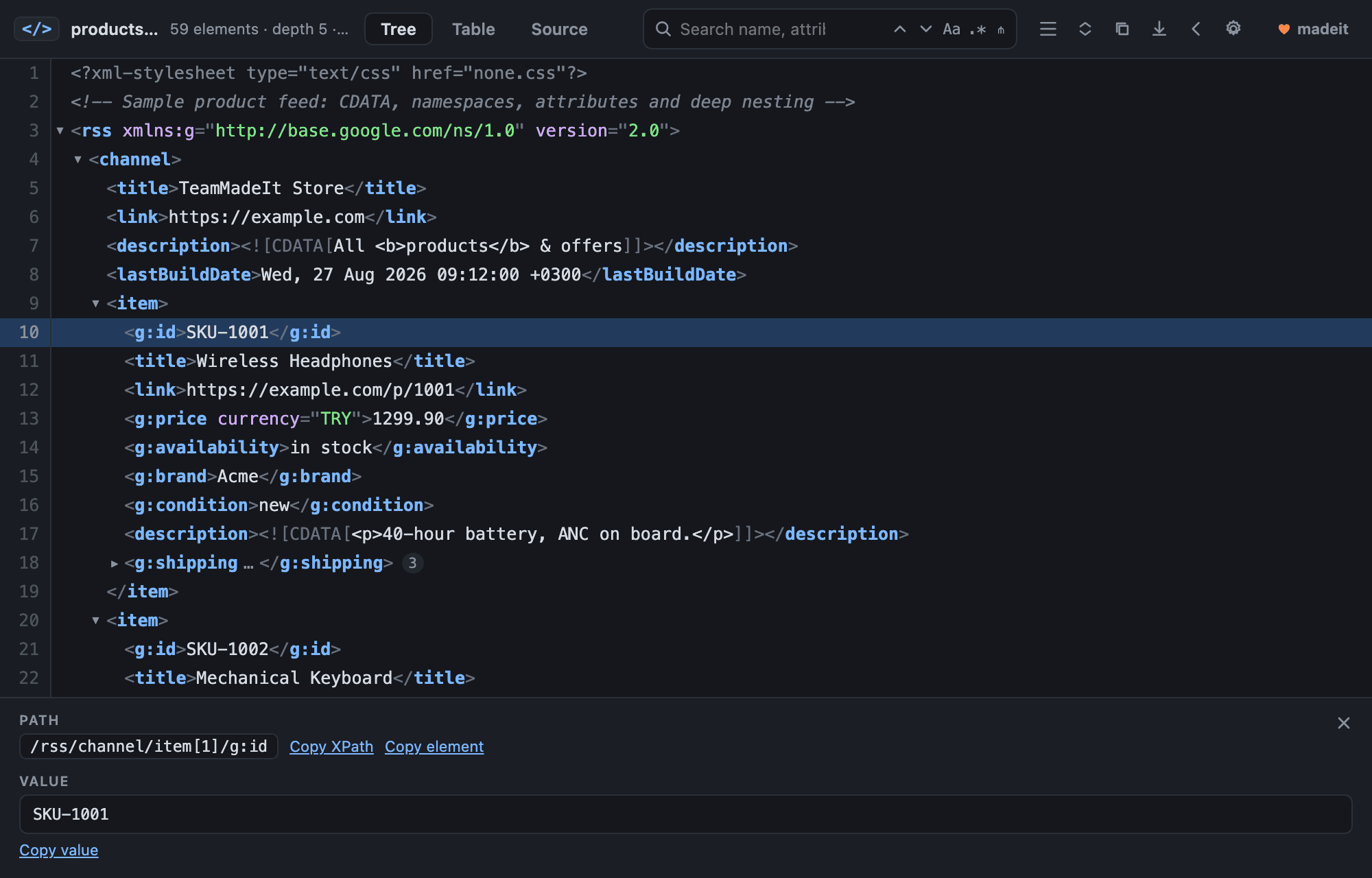
Chrome shows XML as a wall of text and stalls on anything large. This puts a real tree in front of you — collapsible, searchable, syntax-coloured — and keeps it quick on the twenty-megabyte product feed you actually have to debug.
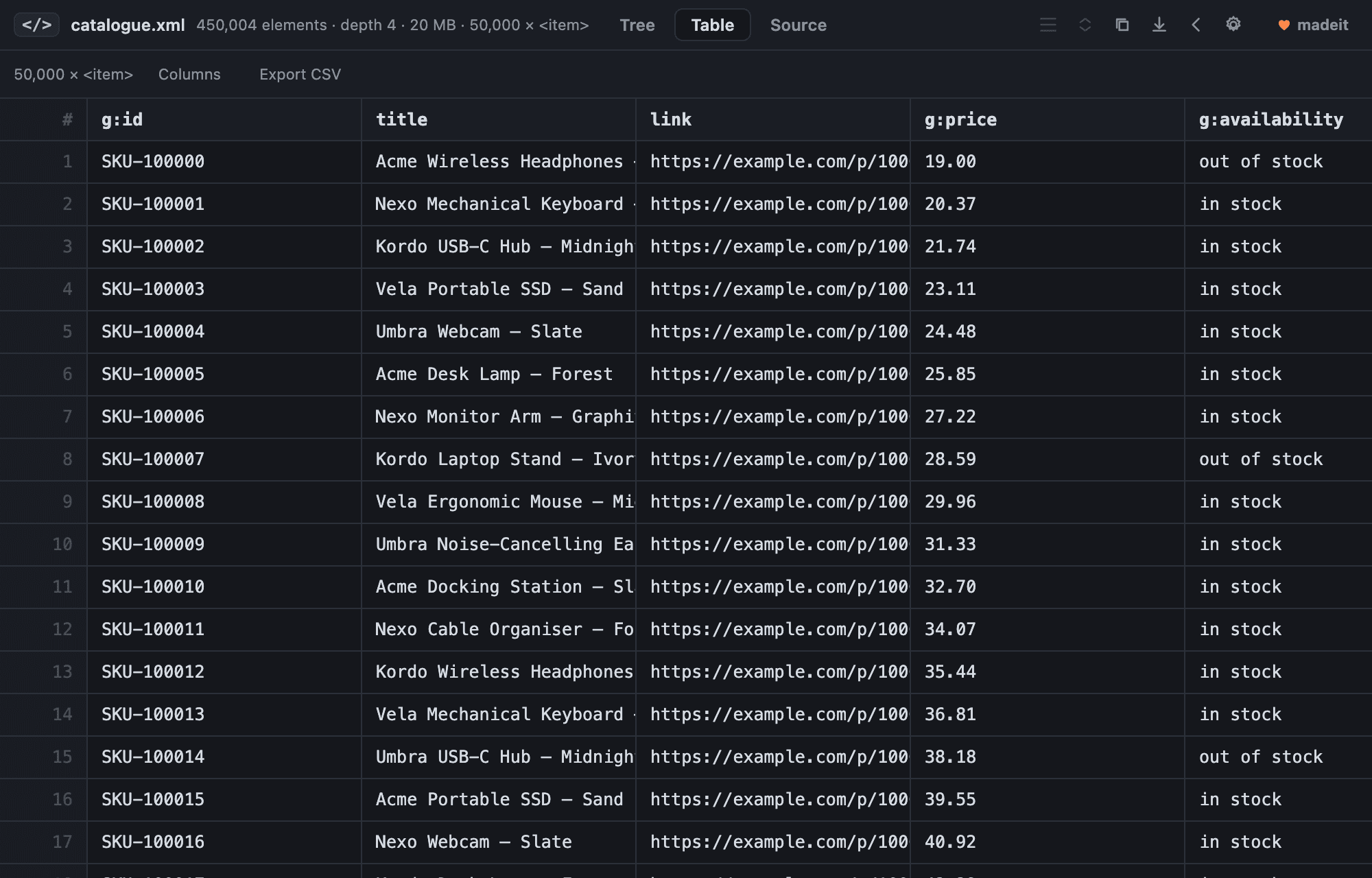
The row count is the point: it does not move with the size of the file. Scrolling to the fifty-thousandth record costs what scrolling to the second one costs.
Only the visible rows exist
Chrome's own viewer builds a DOM node for every element in the file and gives up somewhere past a few megabytes. This one keeps about seventy rows in the page no matter how long the document is, so a fifty-thousand-item feed scrolls exactly like a twenty-line one.
Feeds become a table
The repeating record is found on its own — item, entry, url, product — and laid out as rows and columns. Pick the columns you care about, export the lot to CSV, or click a row number to land on that record in the tree.
Search that keeps up
Element names, attribute names, attribute values and text, literal or regular expression. A filter mode hides everything except the matches and the path down to them. After the first search each further keystroke narrows the previous hits rather than starting again.
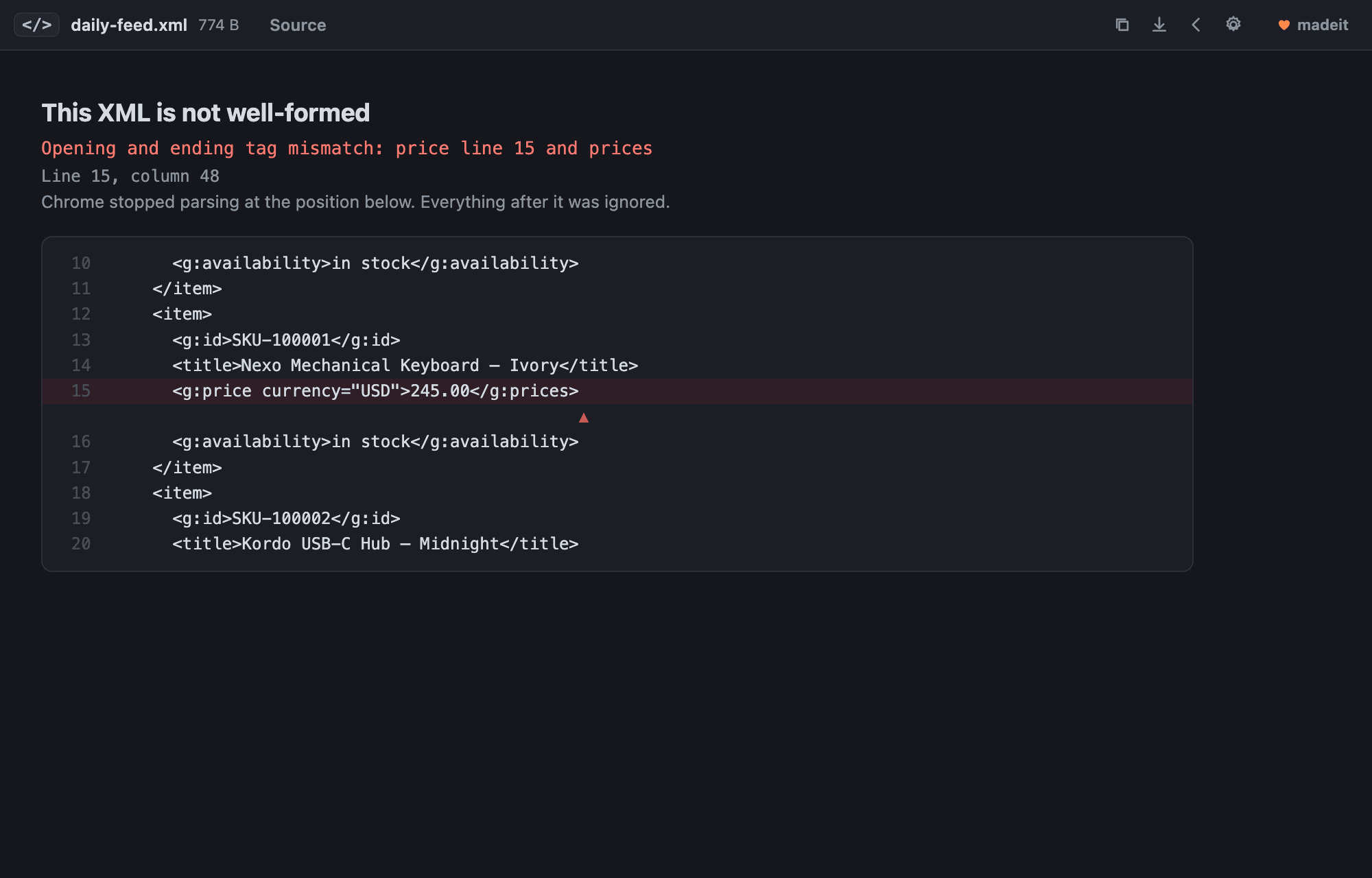
Broken XML, pointed at
Instead of Chrome cutting the page off at the first error and leaving you to guess, you get the parser's reason, the exact line and column, and the offending source with a caret under it. If you write feeds, this is the part you will use most.
It stays out of the way
Sitemaps and feeds that ship a stylesheet still render the way their author intended; one click on the toolbar switches that page to the tree. Feeds served with the wrong Content-Type are recognised anyway. Individual sites can be excluded entirely.
Nothing leaves your browser
No analytics, no accounts, no telemetry. Documents are parsed and drawn locally and are gone when the tab closes. The only thing stored is your own settings.
The extension asks to run on every site, because there is no way to know in advance which address will turn out to be XML. It reads only the document you opened, and sends nothing anywhere. Here is exactly what that means.